
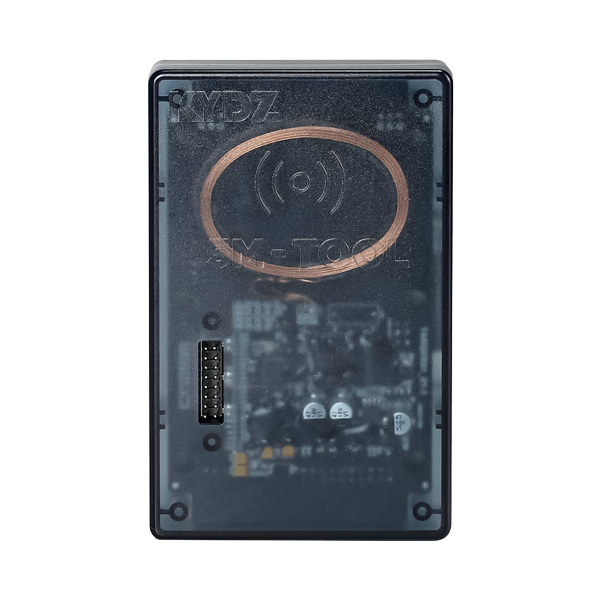
KYDZ MLB Software Download and How to Use & Activate the KYDZ MLB Tool Software
The KYDZ MLB Software enables fast and secure dealer key generation for MLB platform vehicles like Audi, Porsche, VW, Lamborghini, and Bentley. Below is a step-by-step guide to help you install, activate, and generate/program a new MLB dealer key using the PC Software and KYDZ Mobile App.
The KYDZ MLB tool can generate dealer key for following MLB models:
Audi
A4L 2017-
A5 2017-
A6L 2019-
Q5L 2018-
Q7 2016-
A8 2017-
RS4 2019-
RS5 2019-
RS6 2019-
RS7 2021-
RS Q8 2021-
A4 2016-
A5 2017-
S4 2016-
S5 2017-
A7 2019-
S7 2020-
A8 2018-
A8 ne energy 2021-
S8 2021-
Q7 New Energy 2017-
Porsche
Taycan 2019-
Panamera 2017-
Panamera New Energy 2017-
Cayenne 2018-
Cayenne New Energey 2019-
911 2019-
VW
Touareg 2019-
Lamborghini
Urus 2018-
Bentley
Flying Spur 2020-
Flying Spur Hybrid 2022-
Bentayga 2016-
Bentayga Hybrid 2019-
Continental 2016-
Step 1: Download the KYDZ MLB Tool Software or App
You can use the KYDZ MLB Tool via PC or smartphone:
-
✅ PC Version:
Download the KYDZ MLB Tool Software (includes the main key generation software and 5C OBD Helper tool).
🔗 Free download available – Compatible with Windows 10 and some versions of Windows 11. -
✅ Mobile Version:
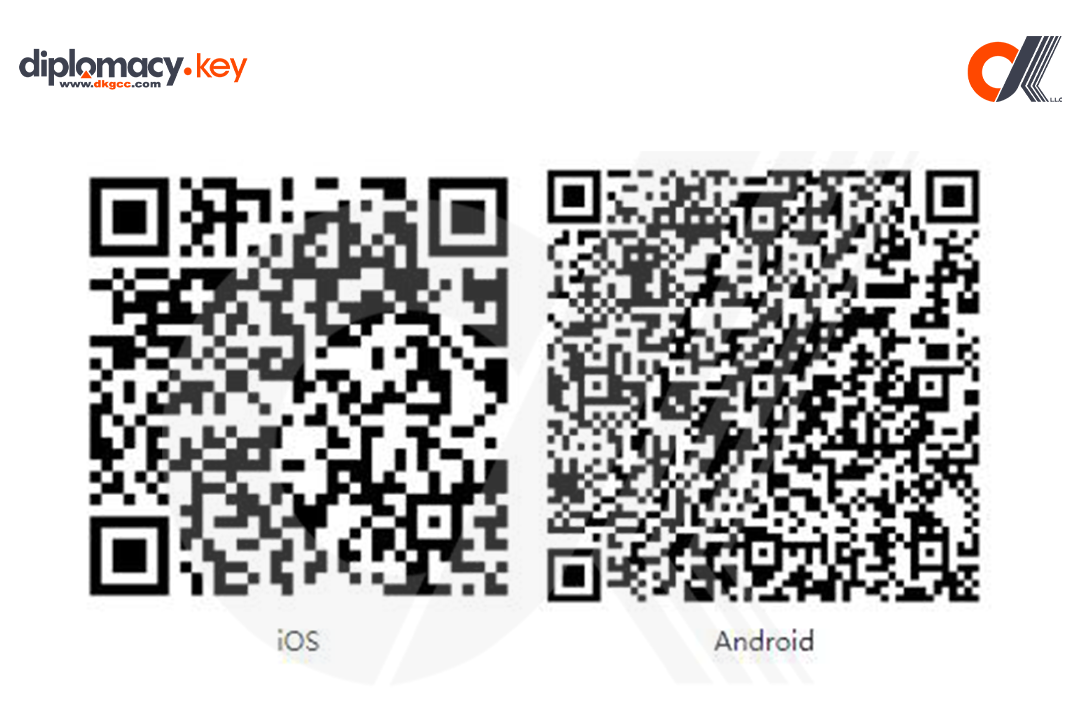
Scan the QR code (below or in packaging) to download the KYDZ App for iOS and Android.
The app allows for device activation and software binding via QR scanning.
Step 2: Activate the KYDZ MLB Tool
-
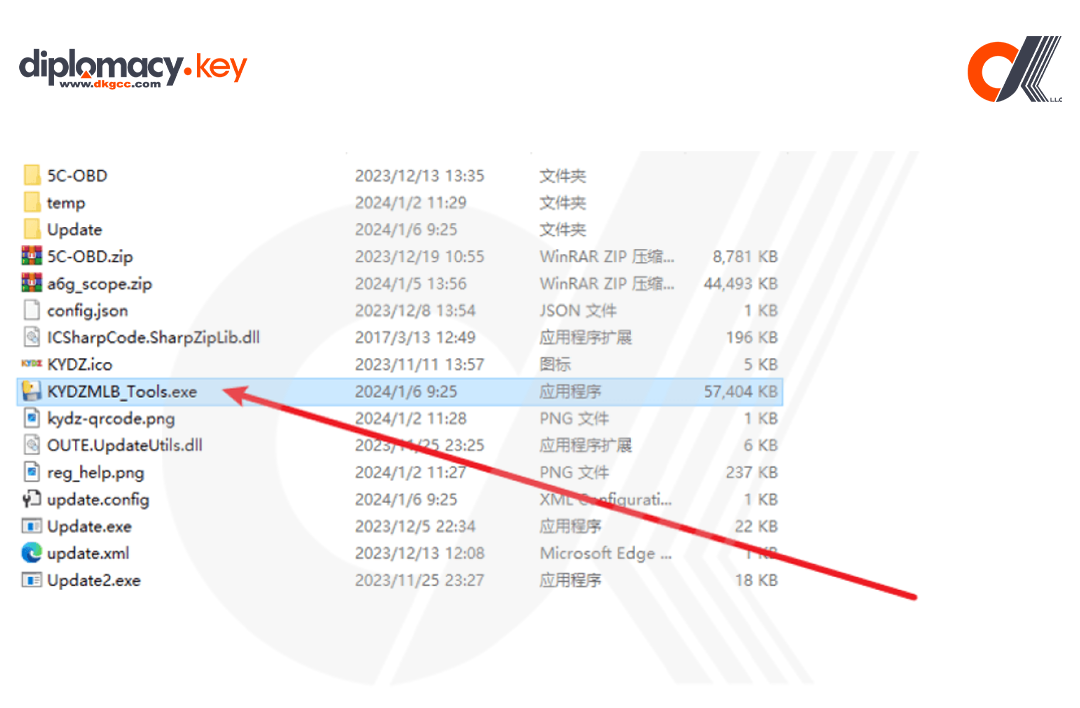
Launch the
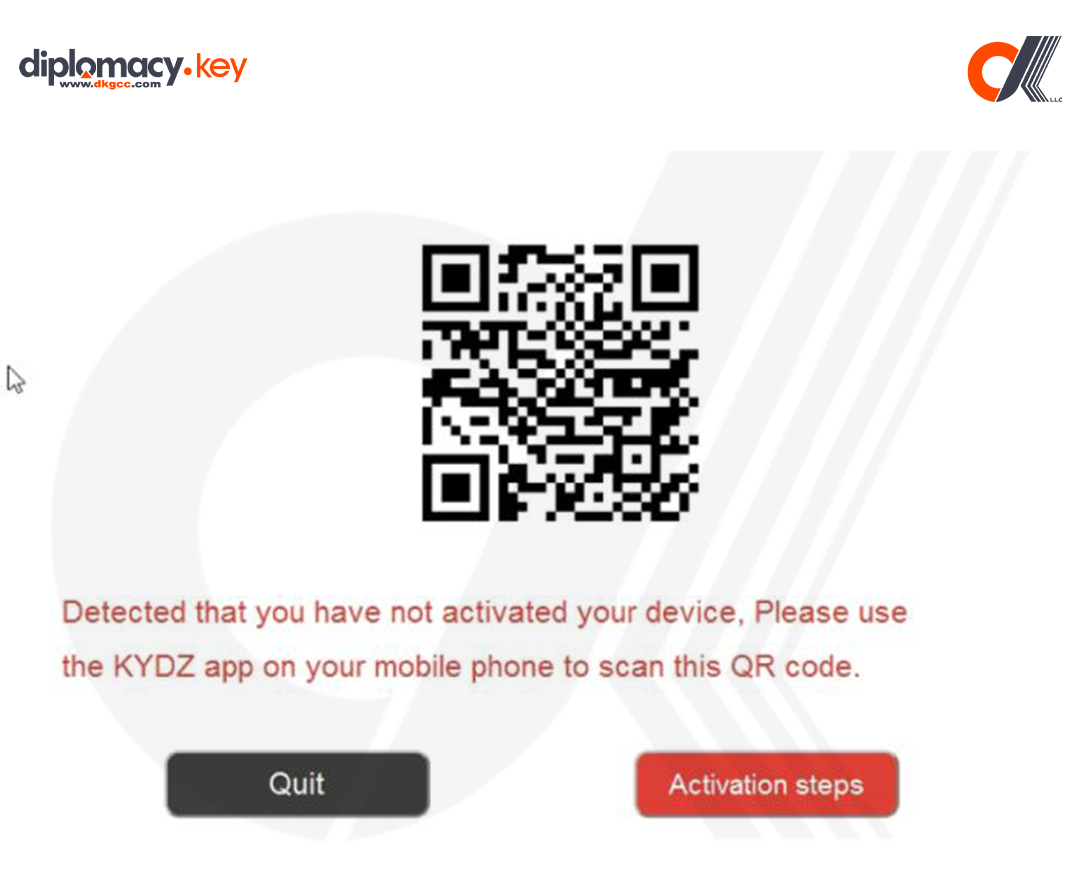
KYDZMLB Tools.exeon your PC. A QR code will appear.
2. Open the KYDZ App on your smartphone and either sign in or tap Skip.
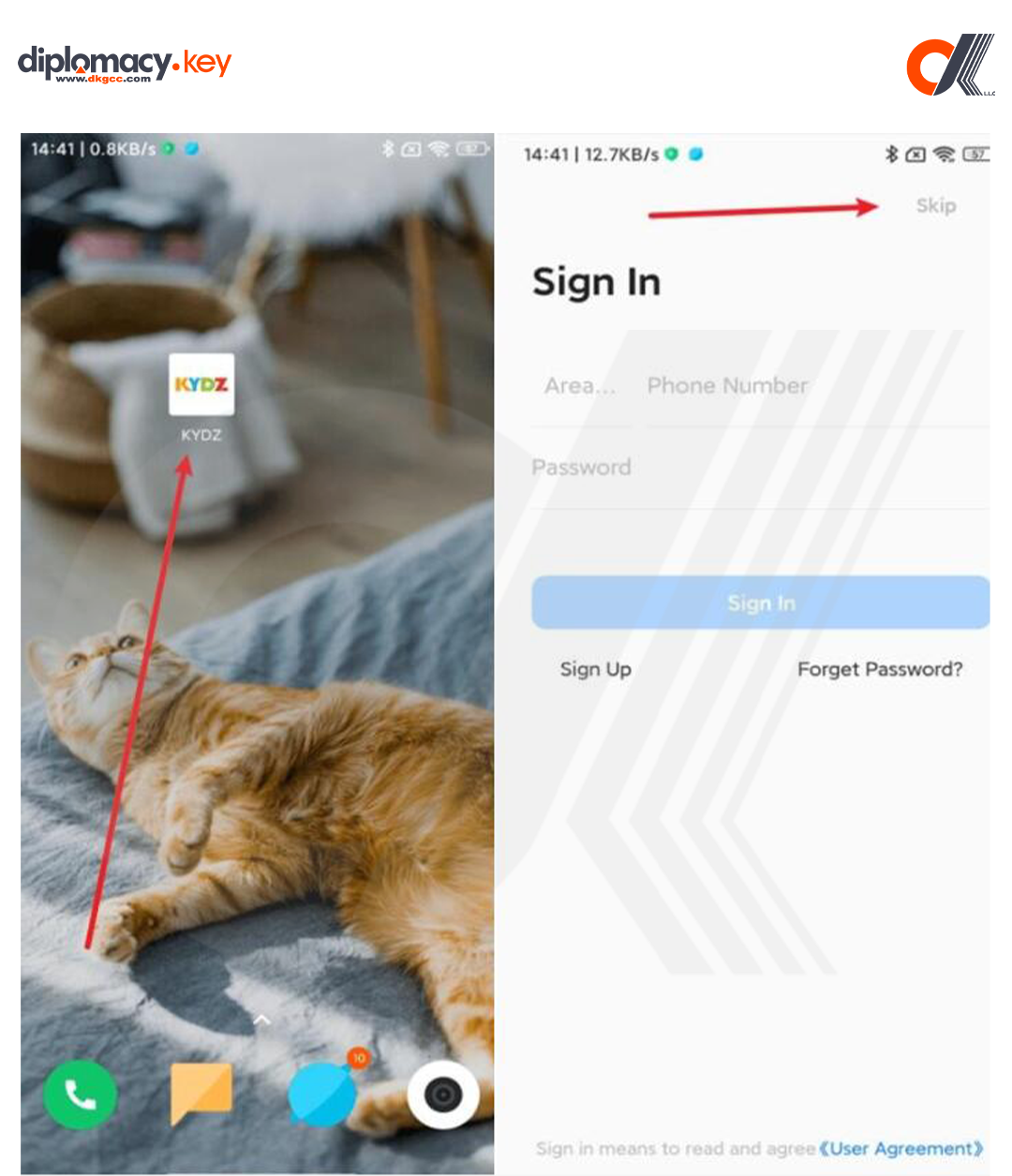
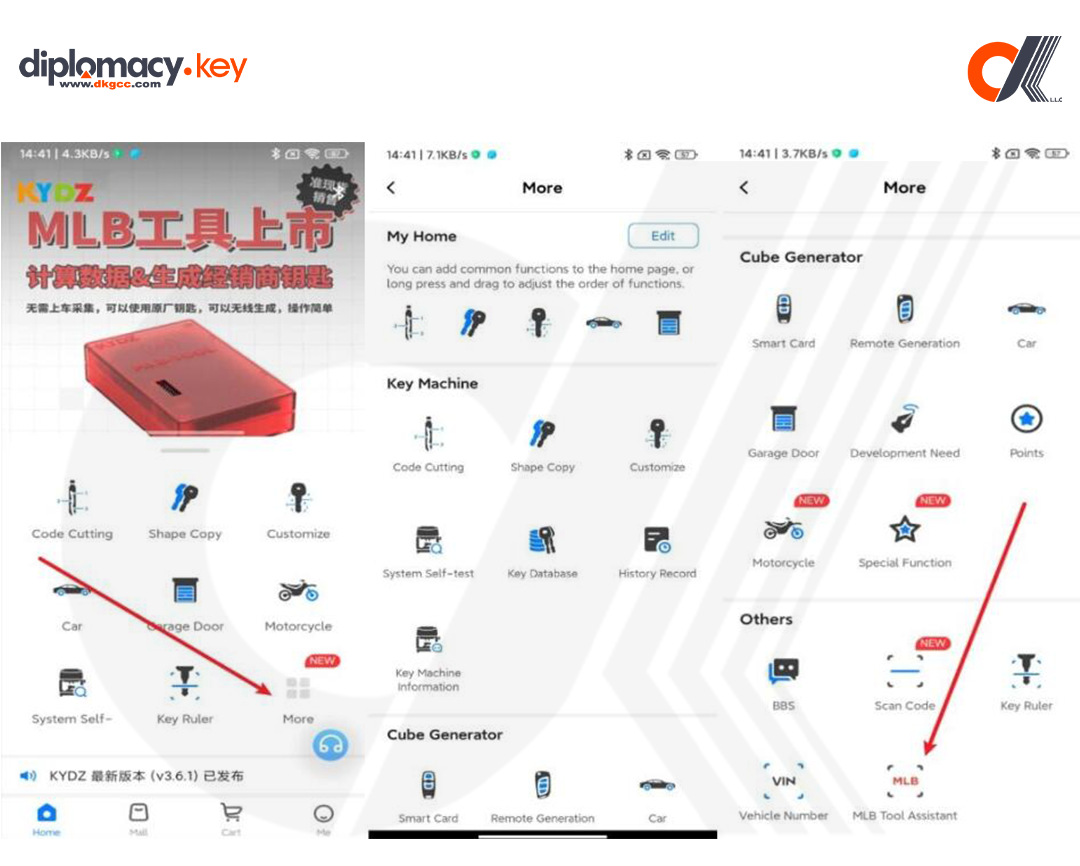
3. Tap on “More” → Scroll to the bottom → Tap “MLB Tool Assistant”.
- Use the app to scan the QR code on your PC screen to bind and activate the device.
-
Once bound, the tool is ready for key programming and data calculation.
Step 3: Generate & Program the MLB Dealer Key
⚠️ Before You Begin:
Ensure the key chip is soldered to the tool.
Power on the device and connect it to your PC.
Run the software as Administrator.
-
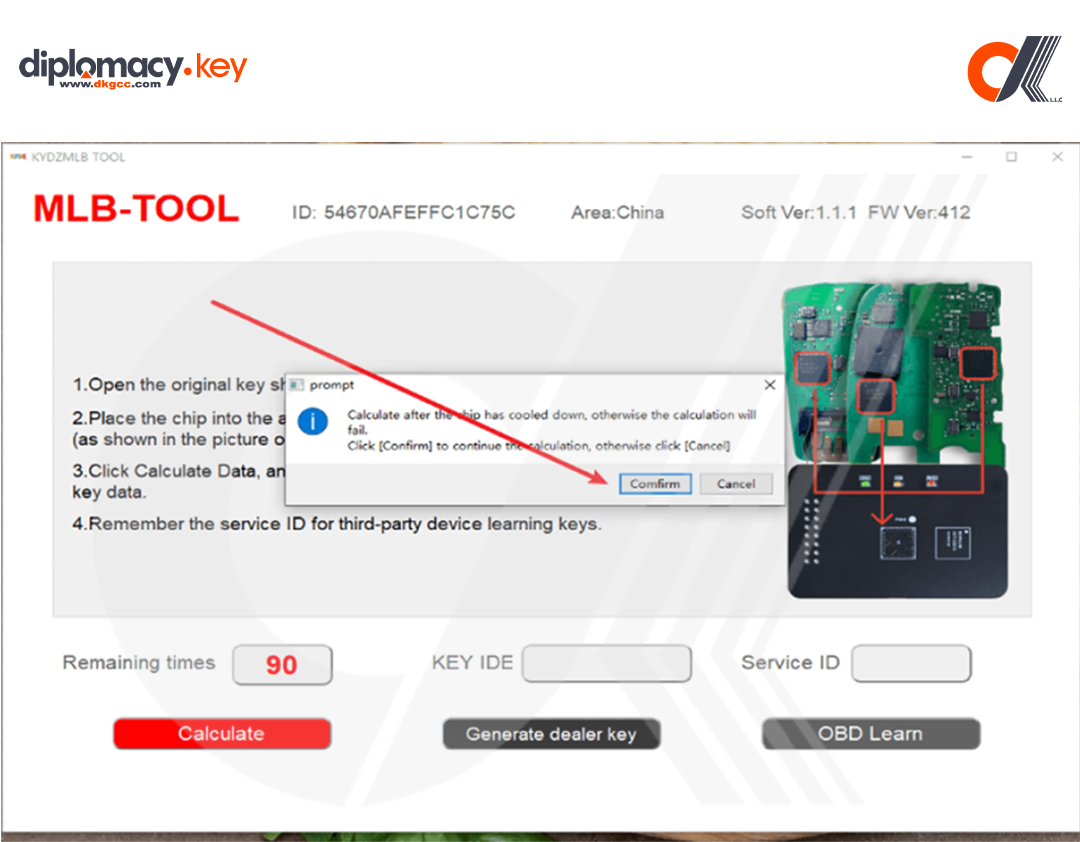
Open the software and click “Agree” to the prompt.
-
Click “Calculate” → confirm the chip has cooled to room temperature → click “OK”.
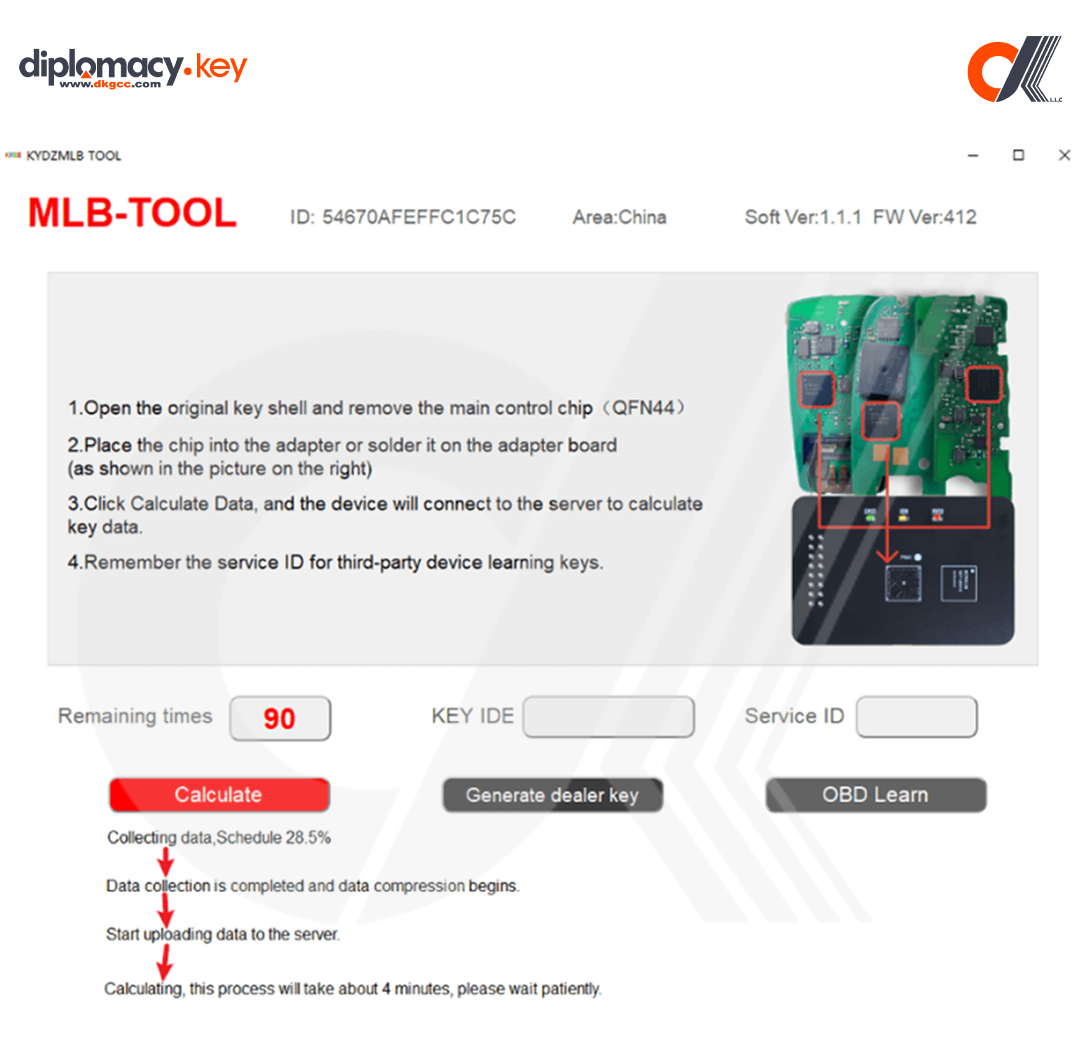
The software will:
-
Collect data (~4 min)
-
Compress data
-
Upload data to server (30 sec to 10 min depending on your connection)
-
Calculate key data (~4 min)
4. The prompt is complete, and you can start the next step.
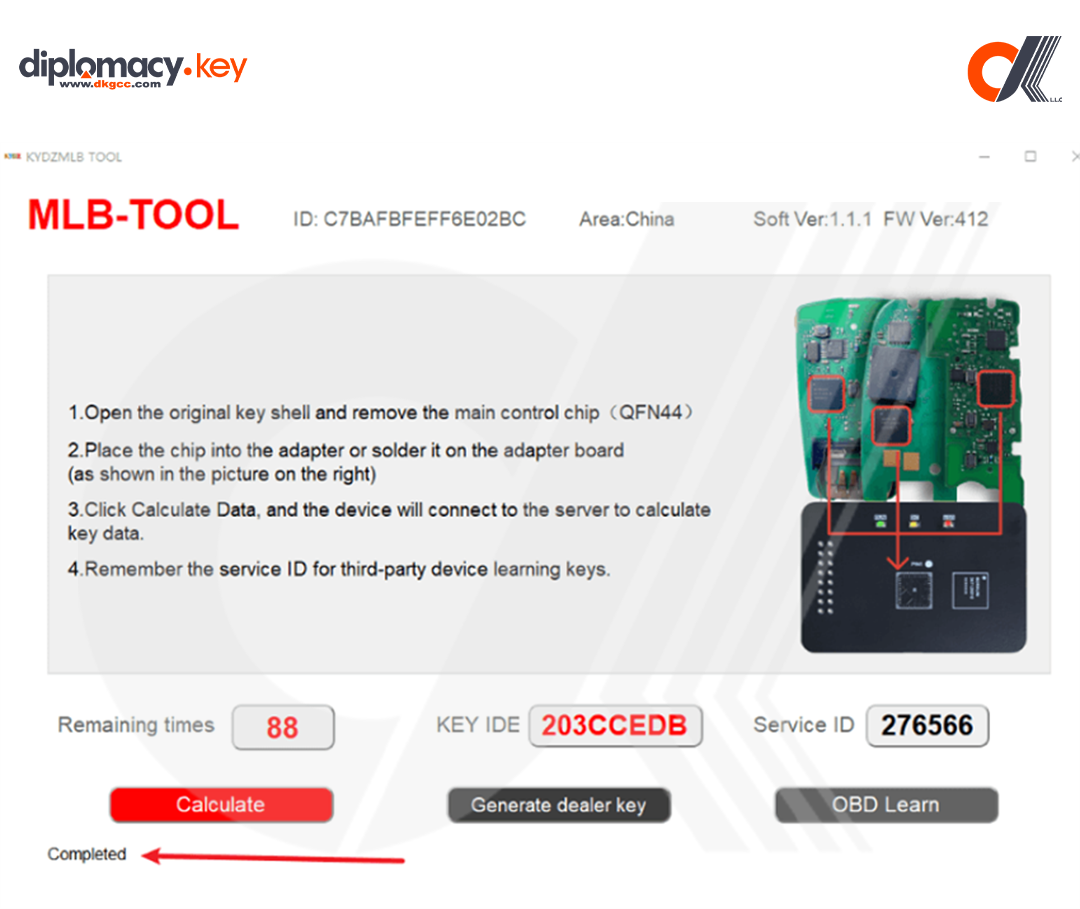
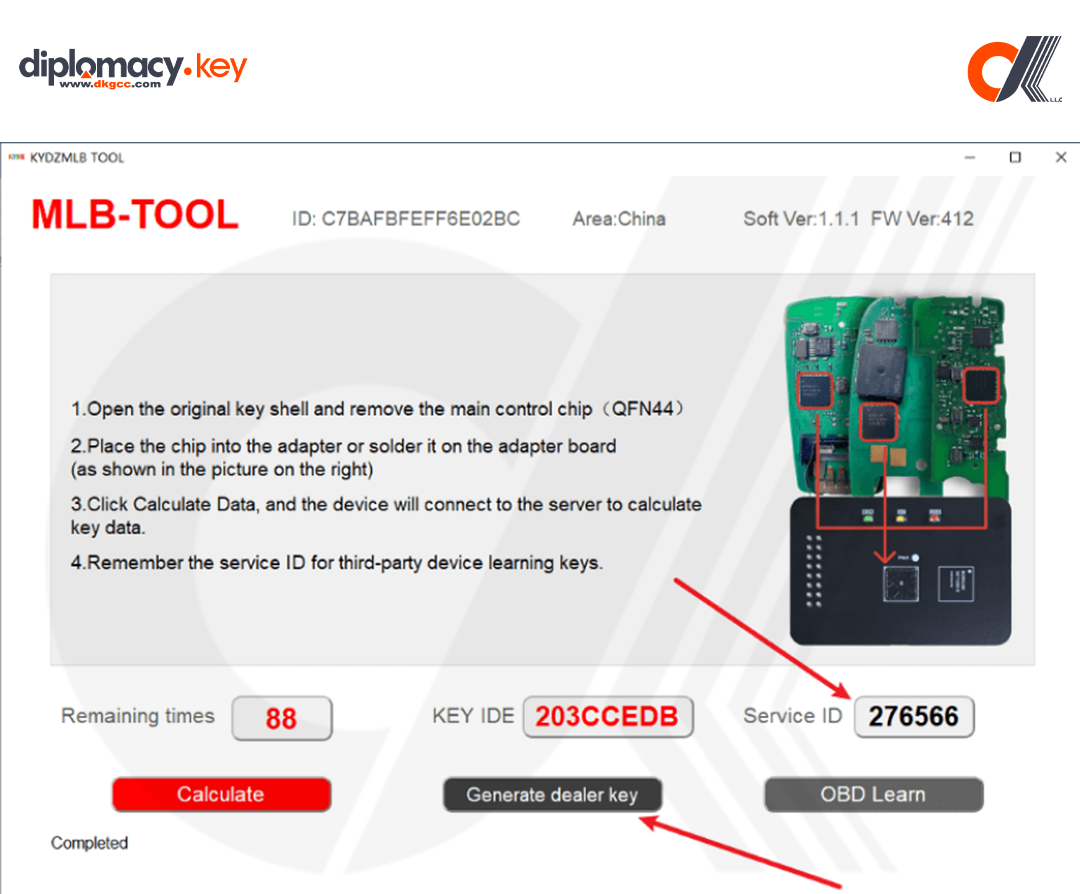
5. Once complete, note the Service ID.
-
Click “Generate Dealer Key” → place the key into the coil position on the device.
-
Click “Identify” to verify the key status
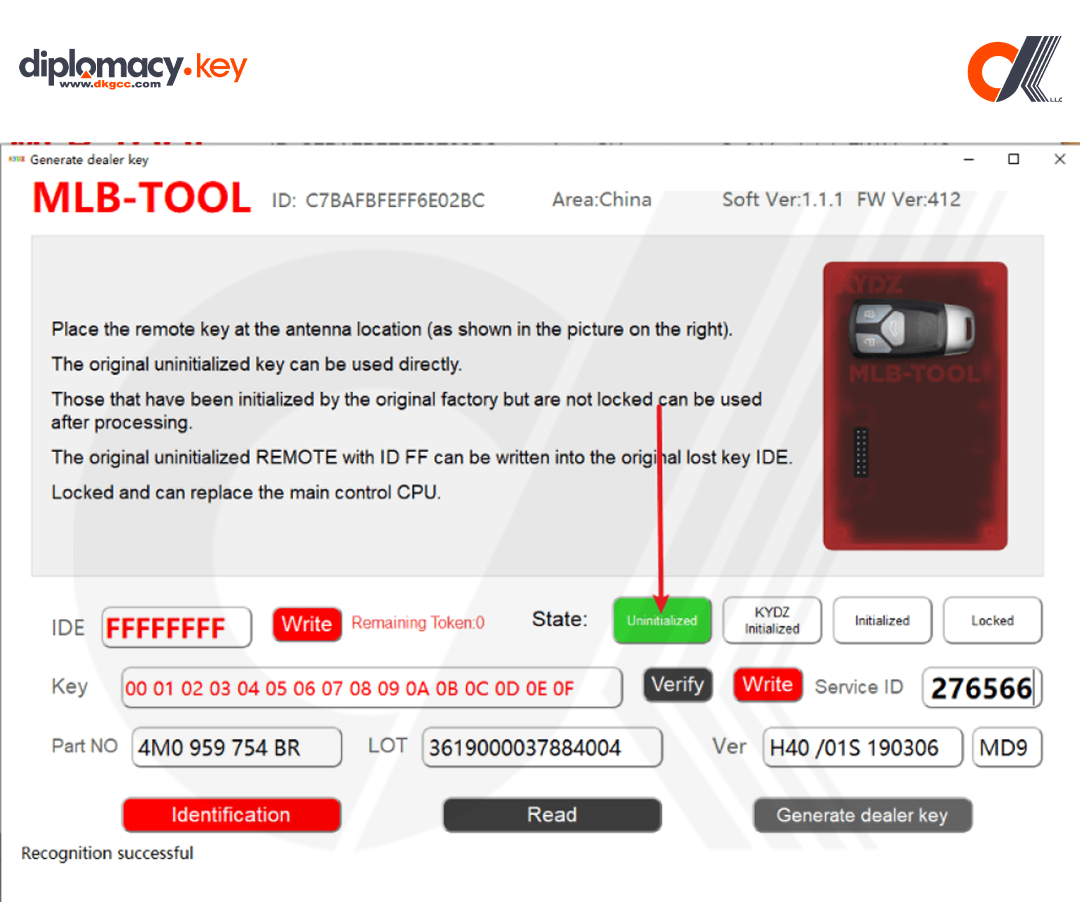
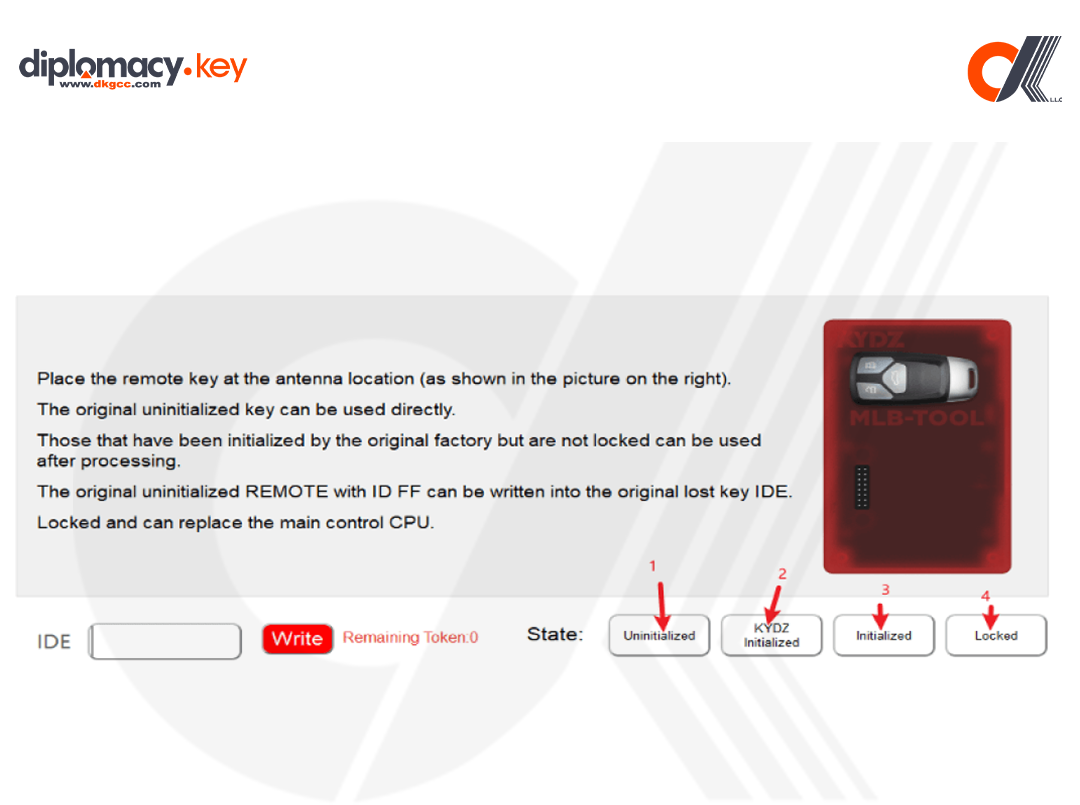
Status description:
1. Uninitialized: can be generated directly
2 .KYDZ Initialized: can be generated directly, and will be given once for calculation after use.
3 . Initialized: Special personnel are required to handle the reset.
4 . Locked: cannot be used
Here, you also need to confirm whether the service number is consistent with the service number on the previous interface. If the service number is incorrect, the key will be damaged
After recognizing that the key status is not locked, click to generate a dealer key
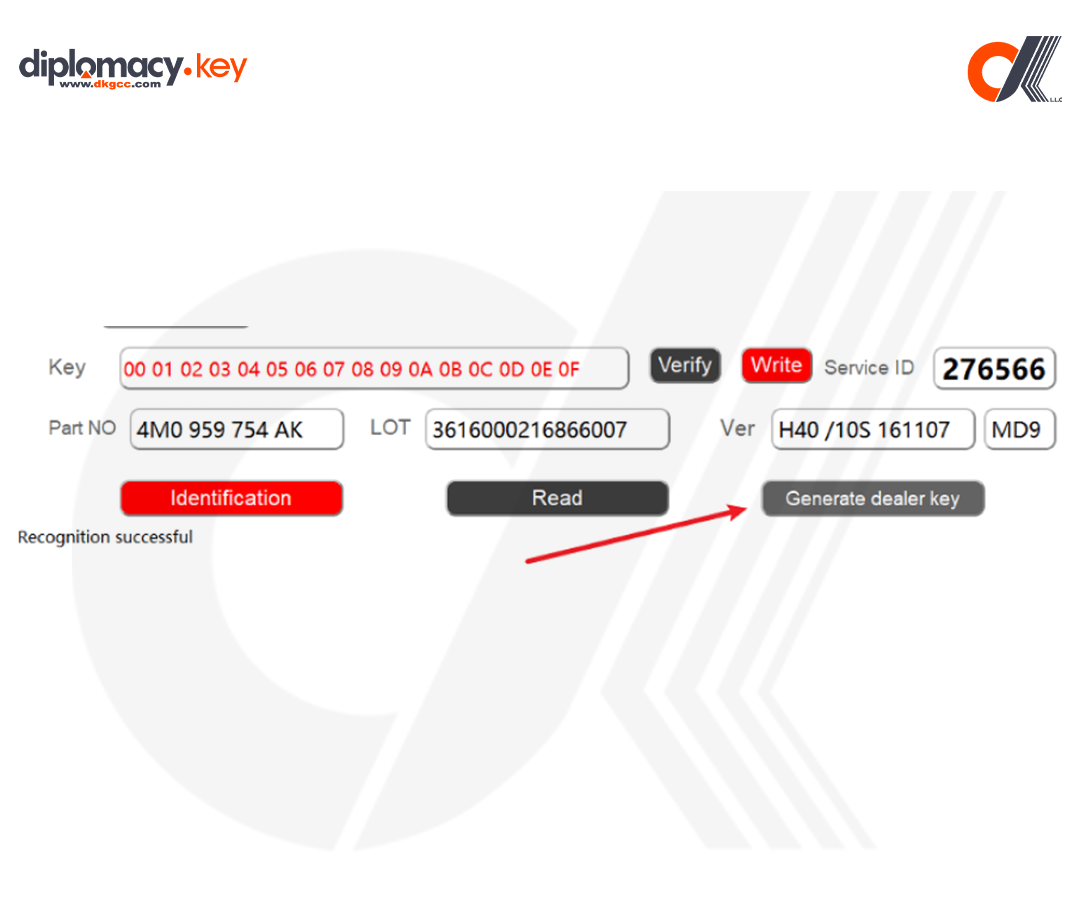
Then there will be a prompt box, click OK
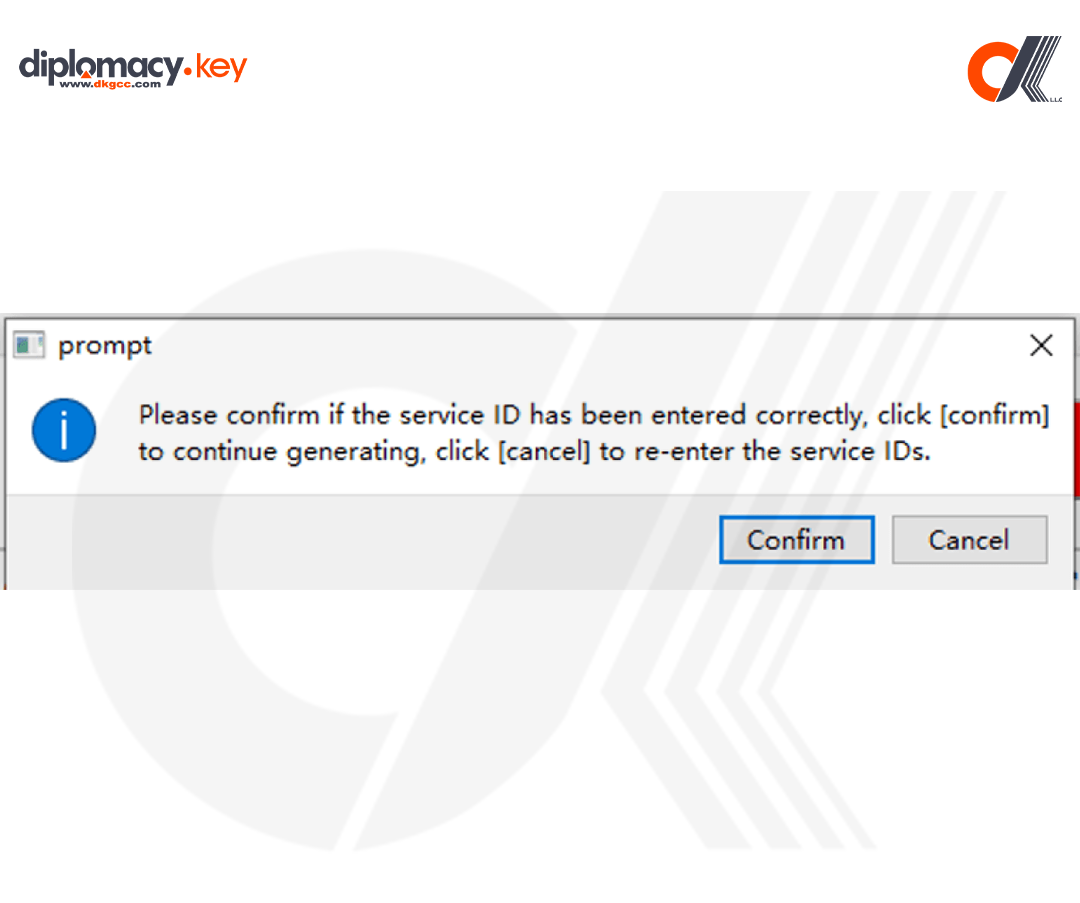
After generating the dealer key, close the current interface.
Click OBD to learn
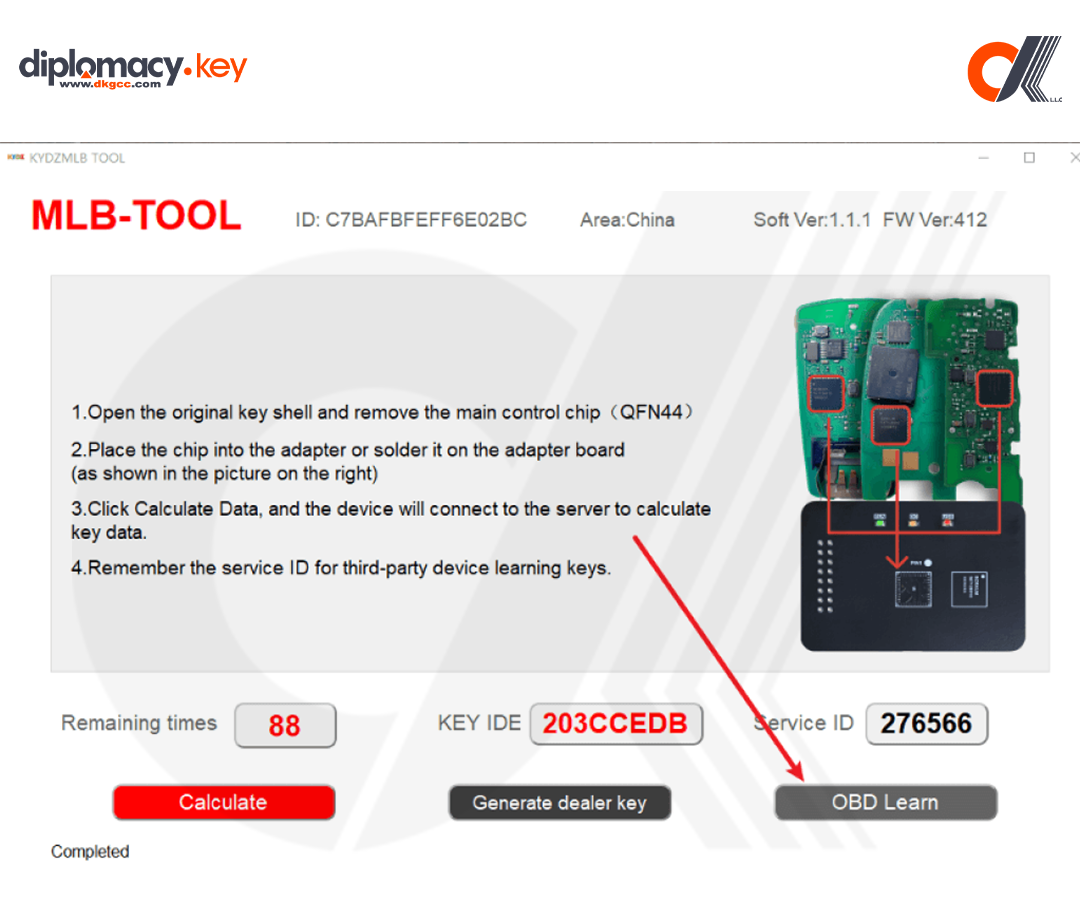
A prompt box will appear, click OK
. Click here to switch between Chinese and English
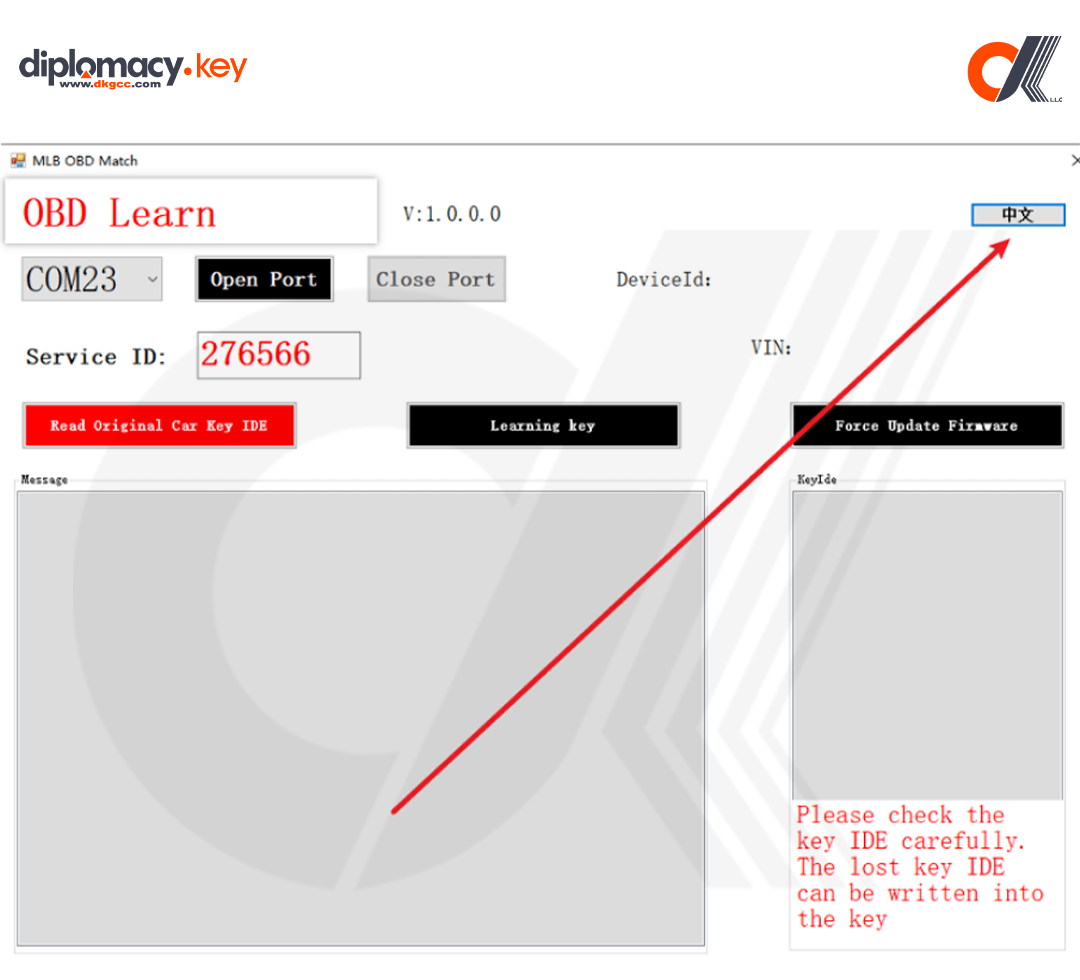
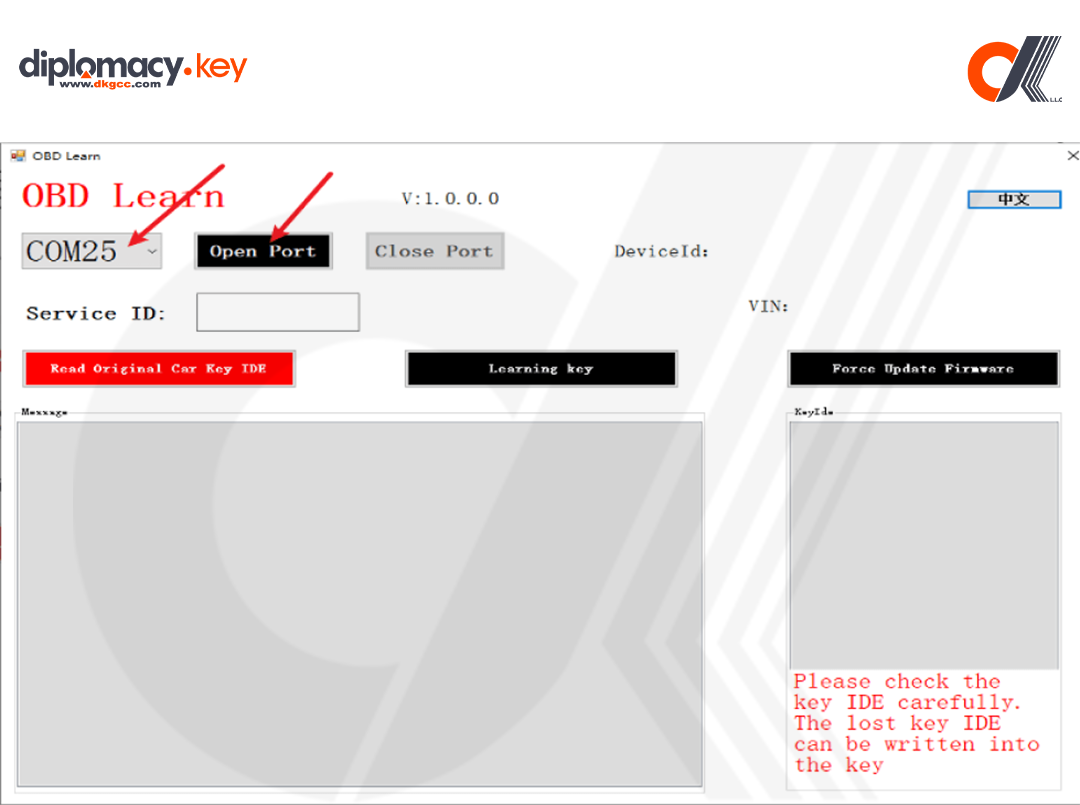
Here we select the corresponding serial port and click to open the serial port:
. Click Read Original Car Key ID to read the original car key ID, and write the lost key ID of the original car into the key to be matched. Only the key with the key ID of FF or KYDZ can change the IDE.
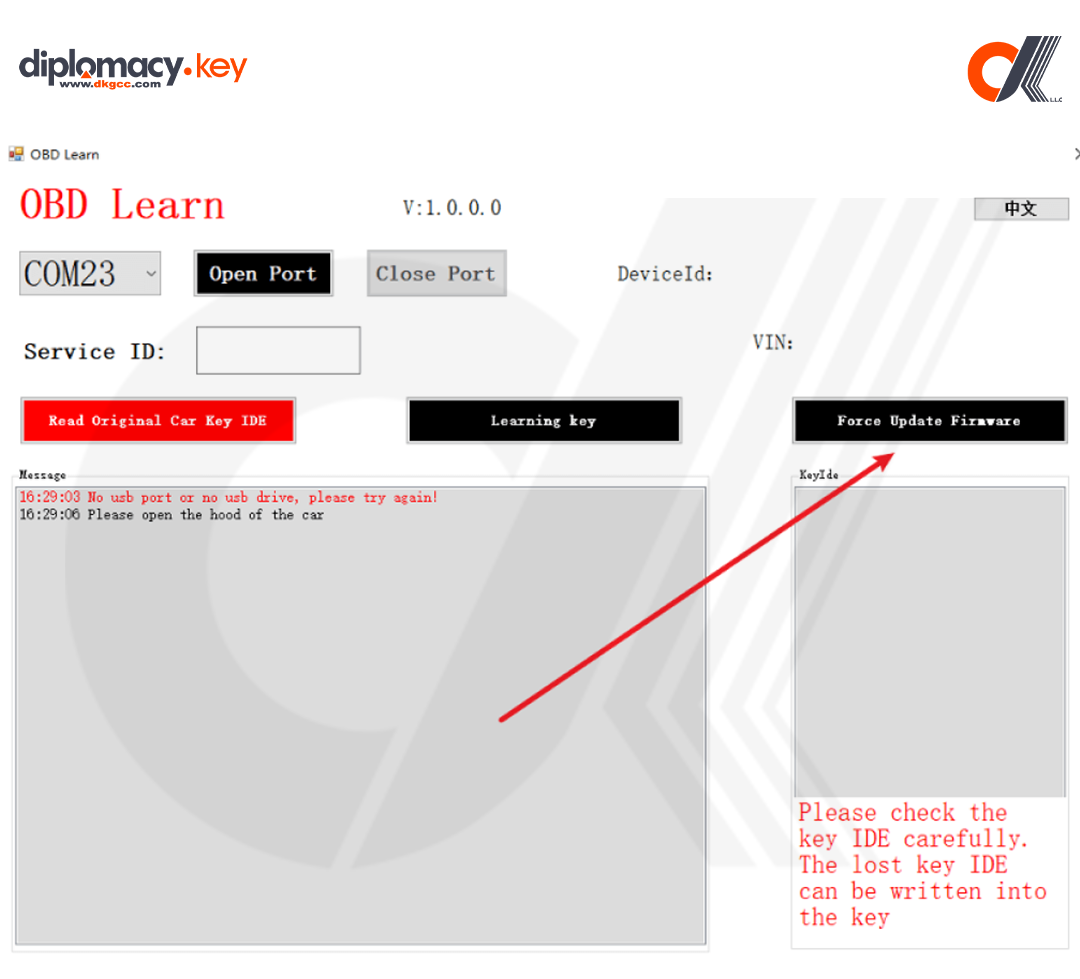
. Click Upgrade Firmware to upgrade the OBD tool firmware
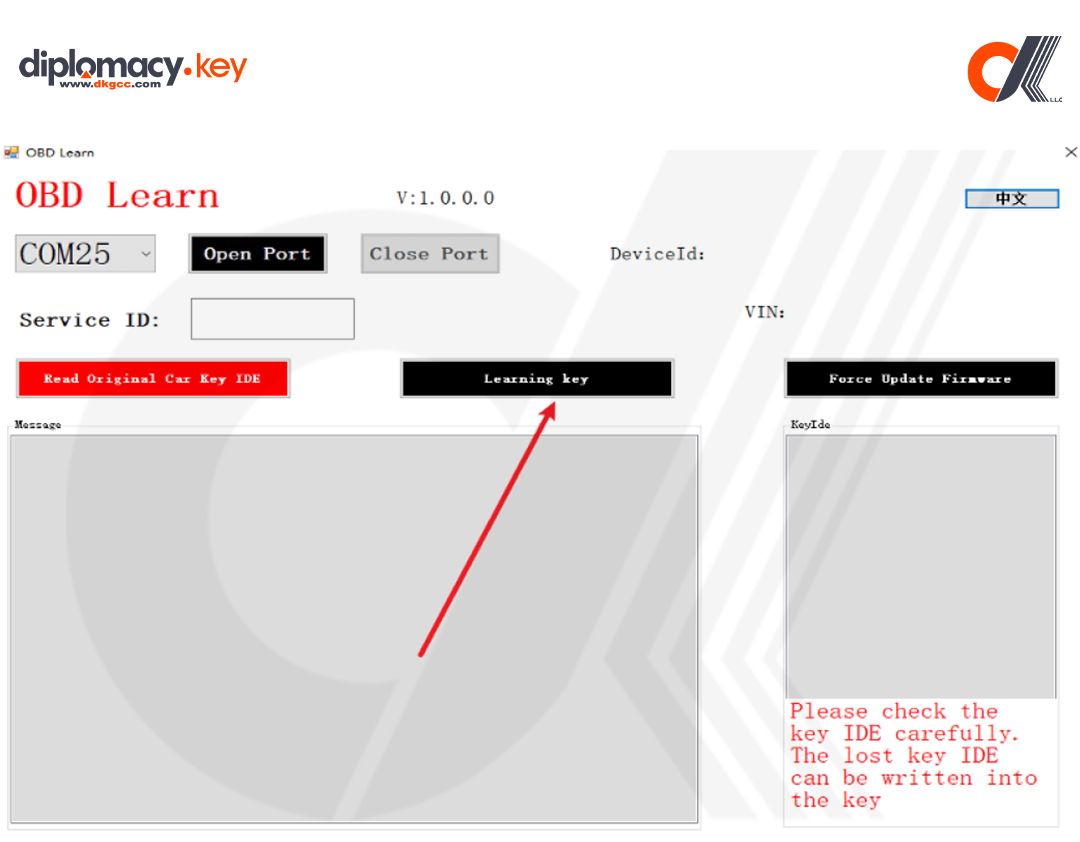
. Click to start learning keys and follow the prompts
Notes & Troubleshooting
-
If errors occur during upload or calculation, wait 4–6 minutes and retry.
-
Only use verified, uninitialized MLB key chips.
-
Be sure to record your Service ID — this allows regeneration of keys in lost key situations.