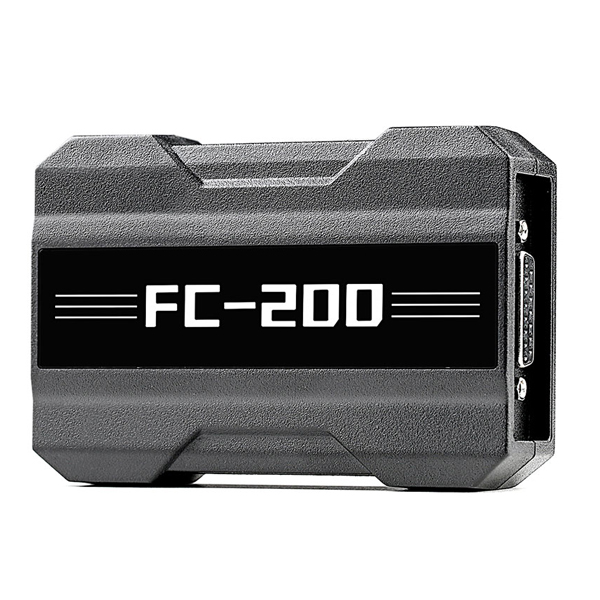
V1.3.3.0 CGDI FC-200 FC200 Software Download and Installation Guide
The CGDI FC200 ECU Programmer is a professional-grade ECU tuning tool designed for ECU/EGS cloning, key programming, and ISN code reading. With FC200 software download, you can access advanced checksum calculation, VIN modifications, and ECU cloning for over 4,200 ECUs, covering 80% of vehicles worldwide.
CGDI FC200 User Manual
CG FC200 ECU Support List
CG FC200 Support Checksum List
FC200 BMW ISN Reading Writing List
CGDI FC-200 FC200 Update Log :
V1.3.3.0 Registered Version NEW
(2025.12.28)
1.Added BOOT mode ECU (requires DAP adapter)
Hyundai\Kia\Isuzu\Leyland: DCM7.1AP
JCB\BAIC: DCM7.24
Tata\Mahindra\JAC\Great Wall\Dongfeng: DCM7.1AP, DCM7.24
Toyota\Lexus: DENSO 275036-xxx 76F0038AGD, DENSO 275136-xxx 76F0038AGD, DENSO 275036-xxx 76F0039GD, DENSO 175822-xxx 76F0038GD, DENSO 175822-xxx 76F0039AGD, DENSO 175822-xxx 76F0039GD, DENSO 175822-xxx 76F0040GD, DENSO 275036-xxx 76F0040GD, DENSO 275036-xxx 76F0070, DENSO 275036-xxx 76F0085, DENSO 275136-xxx 76F0085, DENSO 275036-xxx 76F0040AGD, DENSO 275922-xxx 76F0070, DENSO 275992-xxx 76F0070
2.Added PCR2.1, SIMOS8.6 cloning and immobilizer data parsing
3.Added Hyundai-Kia BOOT mode ECUs: SIMK41, SIMK42, SIMK43_AT, SIMK43_MT, SIMK62
4.Added MED17.5.21 not ready state repair
5.Added MG7.9.8 VIN modification and not ready state repair
6.Function fixes
Optimized CAN unlocking for "Big/Small Turtle"
Fixed ME7.5_800 verification failure and unsuccessful not ready state repair
Fixed ACDelco E80 read/write function errors
How to Update CGDI FC-200
-
Click the download link below and save the setup package to your computer.
-
Extract the contents using WinRAR or 7-Zip.
-
Run
FC200_Setup.exeas Administrator. -
Follow the on-screen instructions to complete installation.
-
Reboot the device after successful setup to apply changes.
CGDI FC-200 Software Download Setup Tutorial Video
Step-by-Step Visual Guide
- Installing Software: Follow the on-screen instructions to navigate through the setup files and install necessary drivers.
- Completing Setup: Complete the installation by selecting your preferred language and finishing the setup process.
- Photos:
-
After the download is finished, you will have a Zip file that needs to be extracted.

-
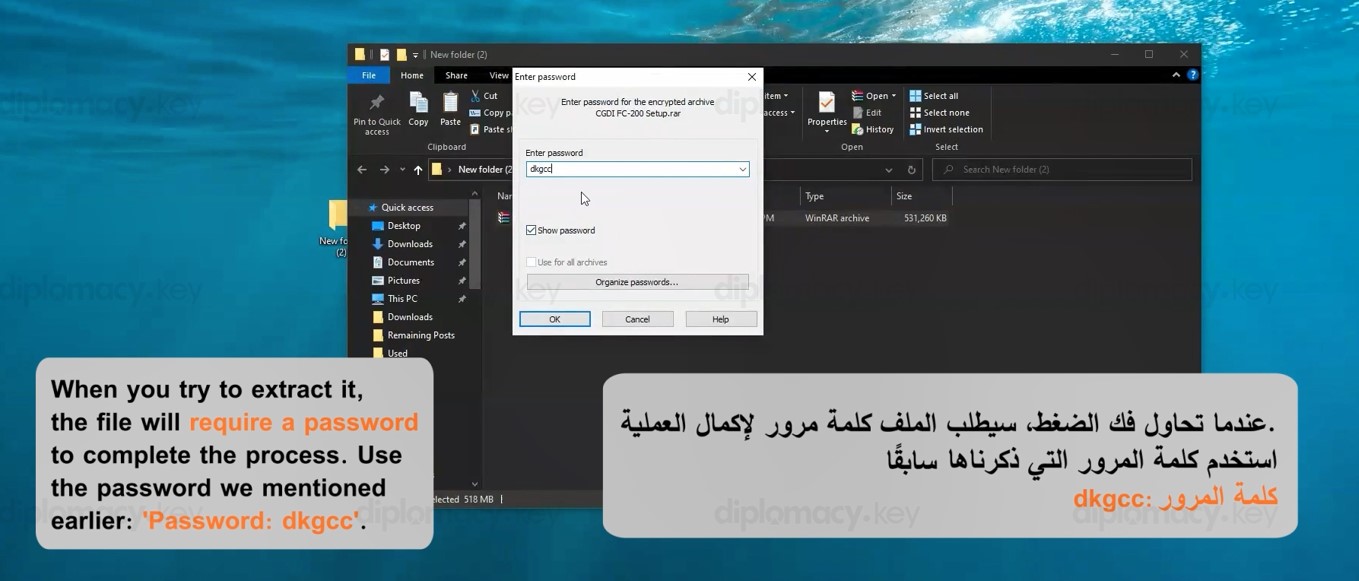
When you try to extract it, the file will require a password to complete the process. Use the password we mentioned earlier: 'Password: dkgcc
-
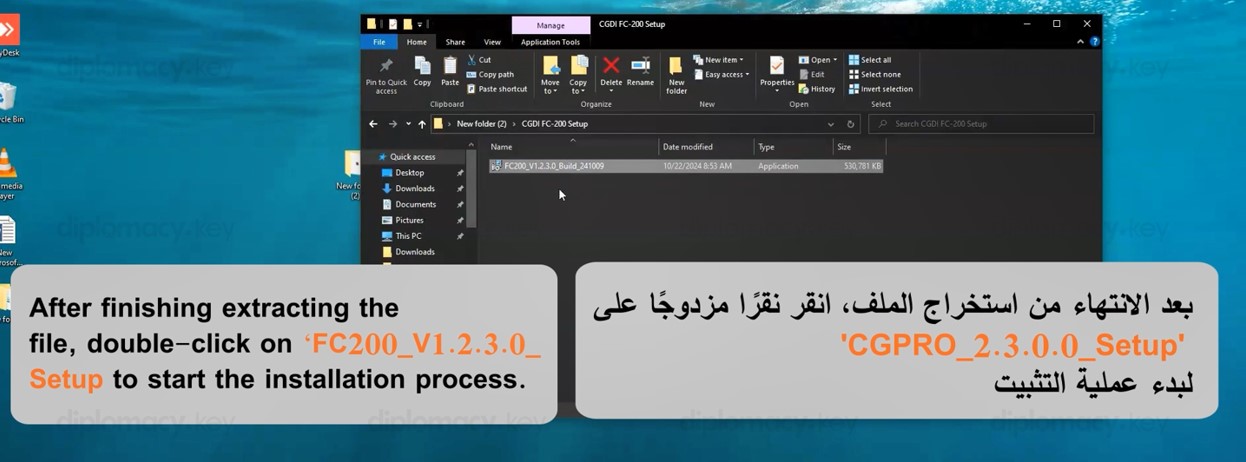
After finishing extracting the file, double-click on FC200_V1.2.3.0_ Setup to start the installation process.
-
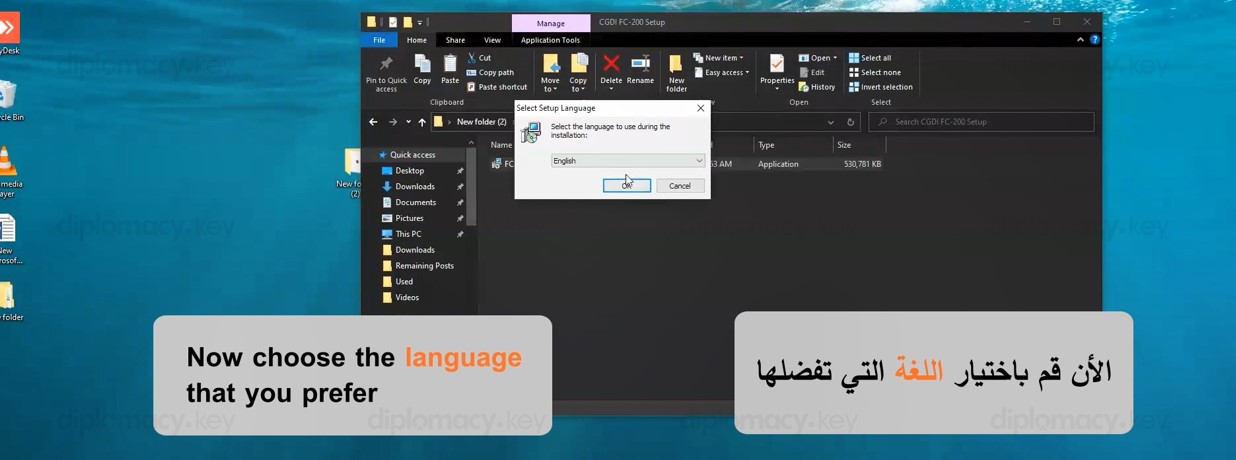
Now choose the language that you prefer
-
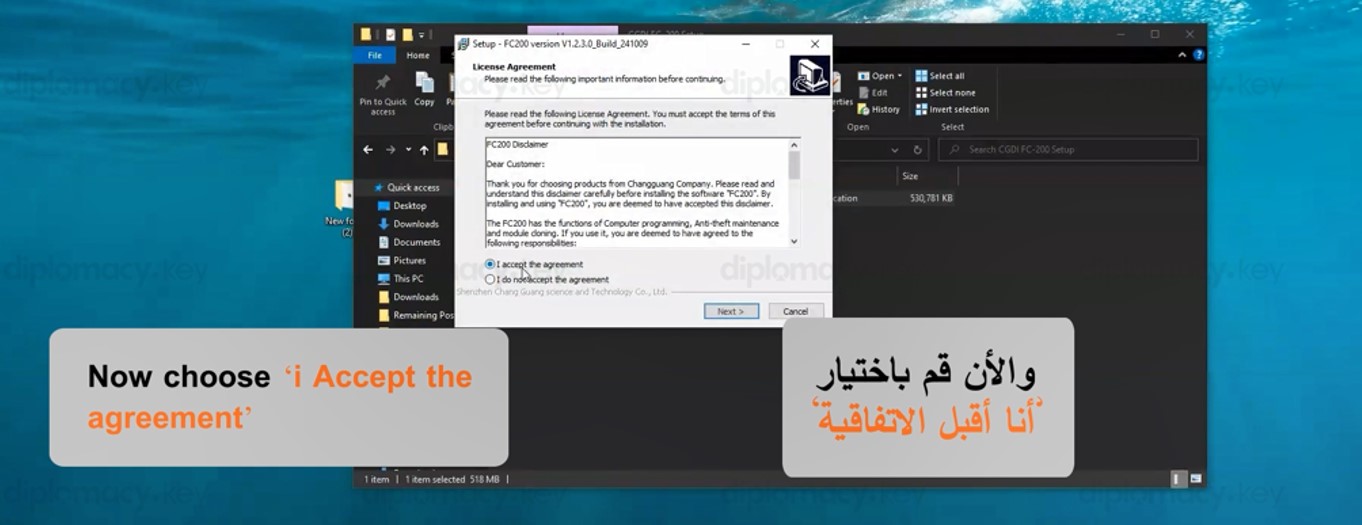
Now choose 'i Accept the agreement
-
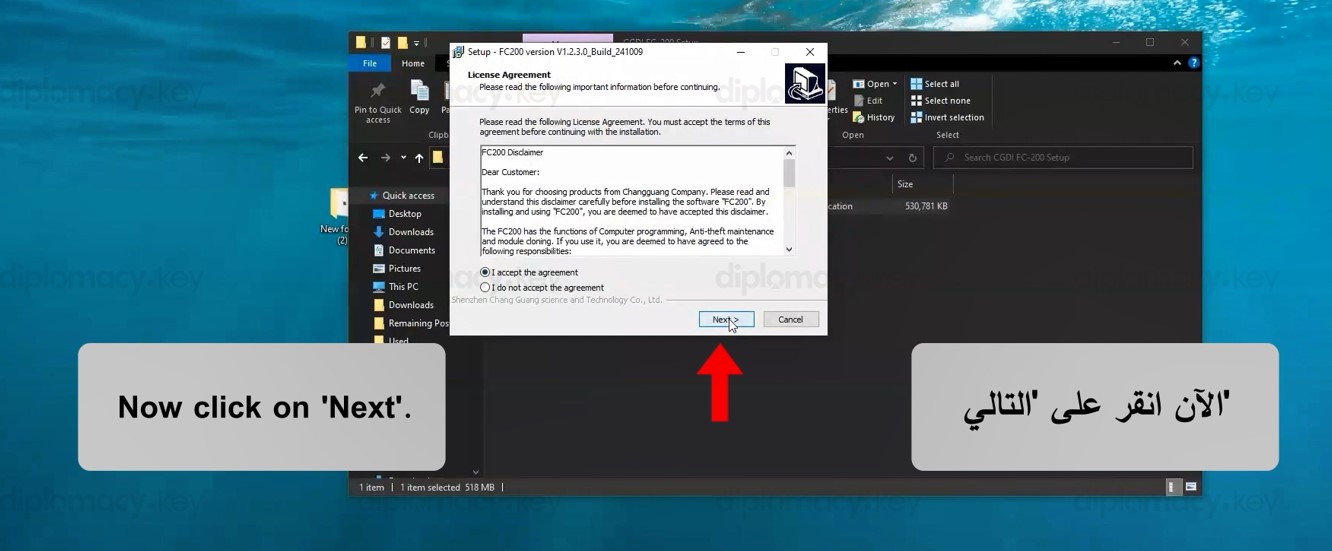
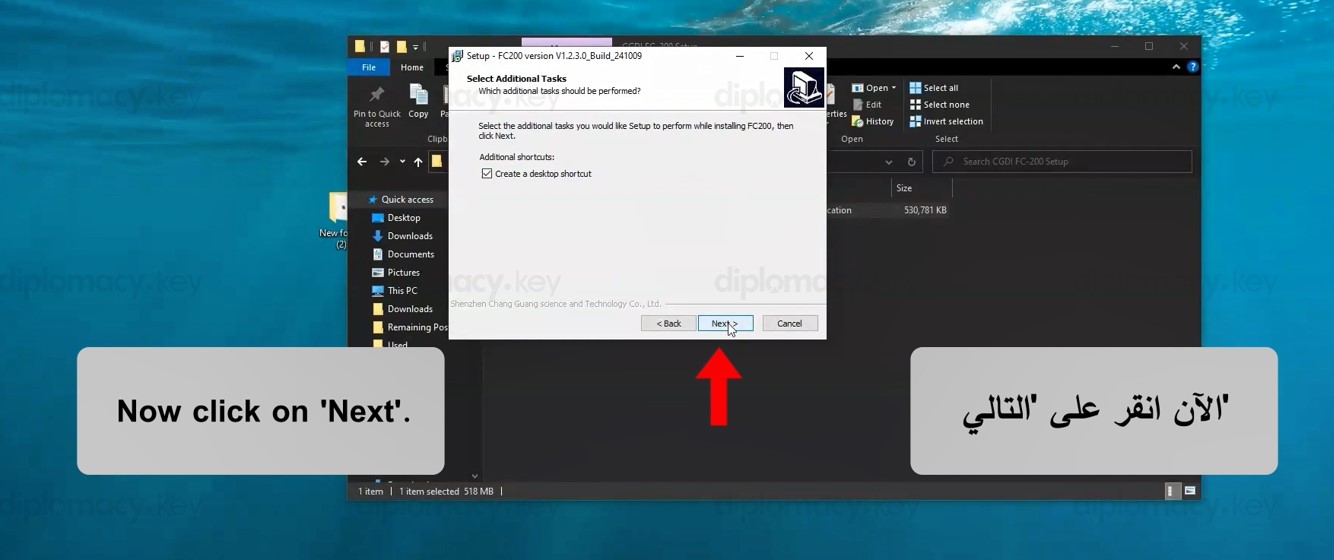
Now click on 'Next'.
-
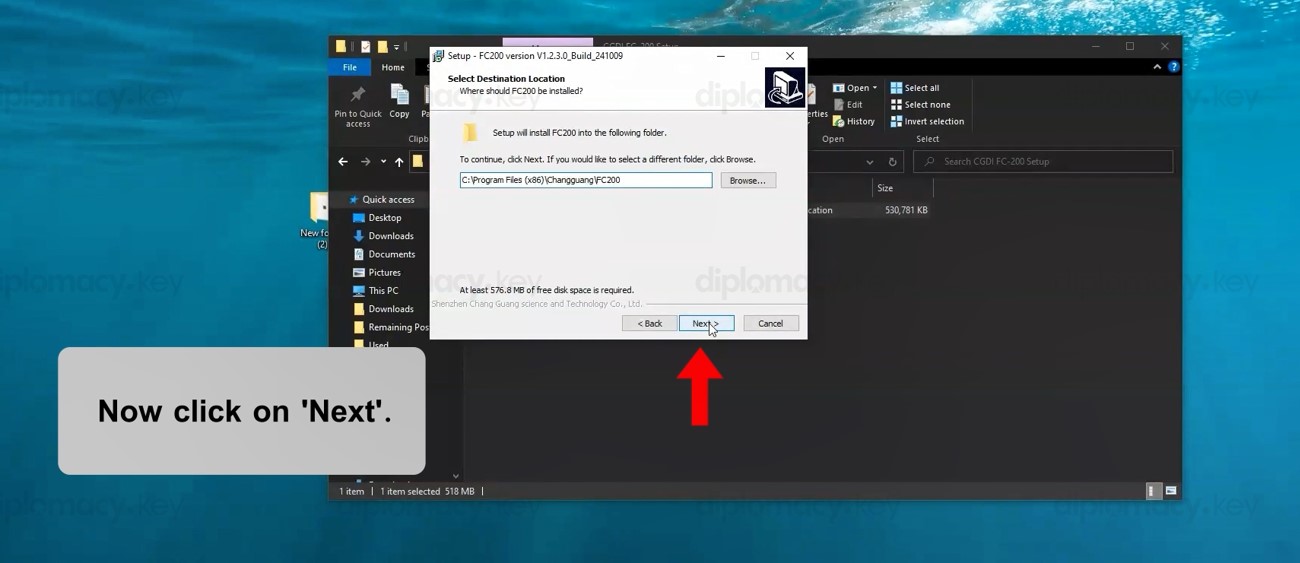
Now click on 'Next'.
-
Now click on 'Next'.
-
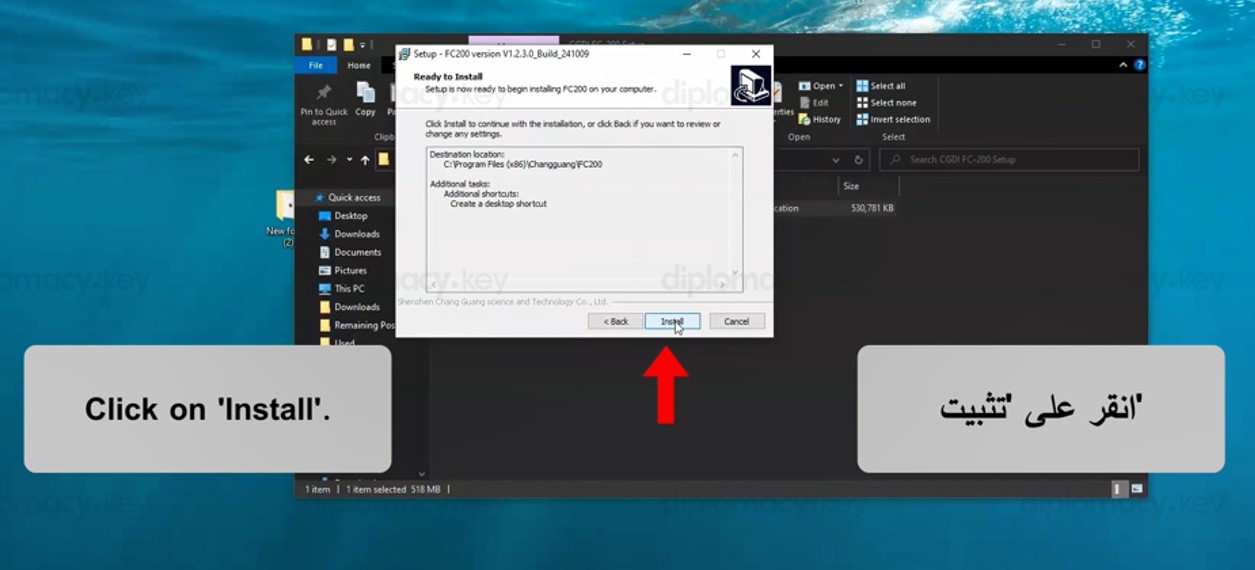
Click on 'Install'.
-
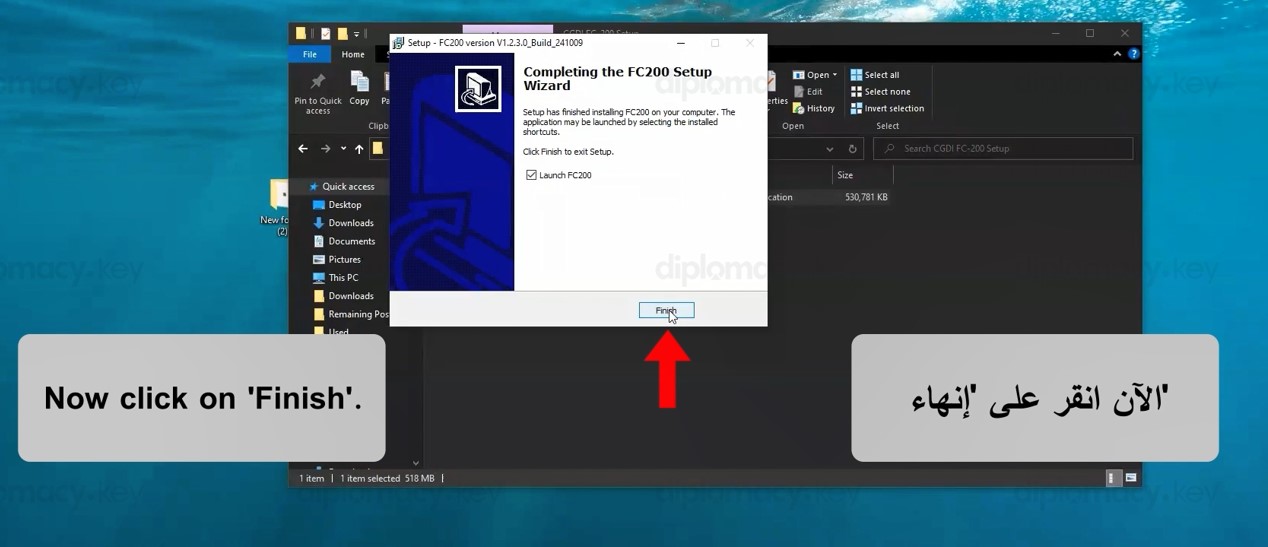
Now click on 'Finish'.
-
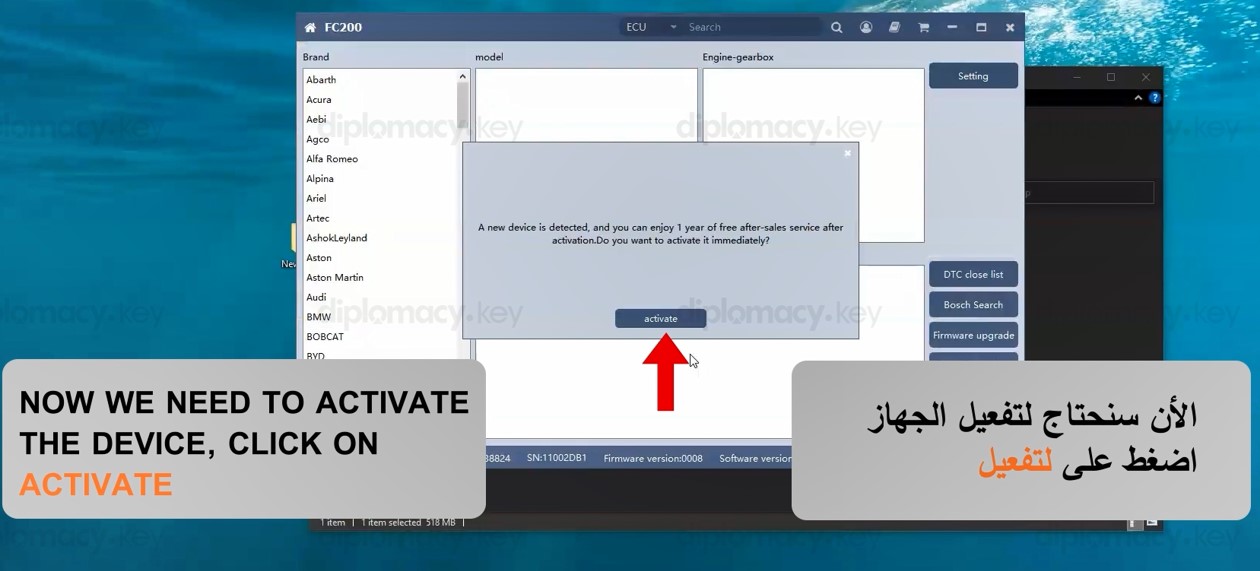
Now We Need to Activate the Device, Click on Activate
-
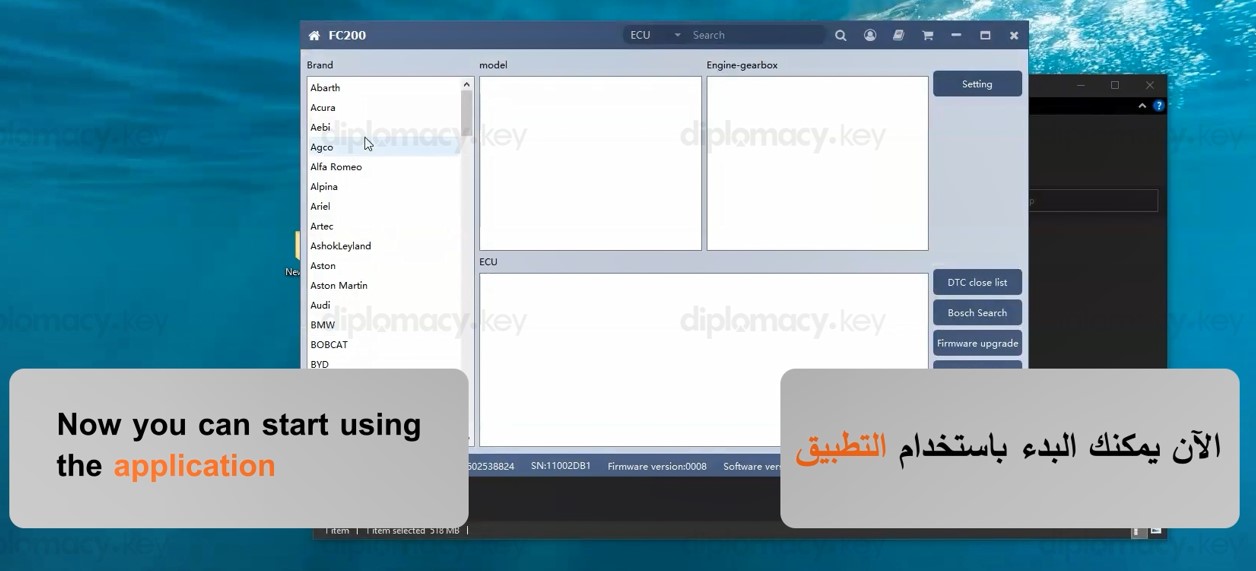
Now You Can Start Using the Application